



What is an AI baby video generator?
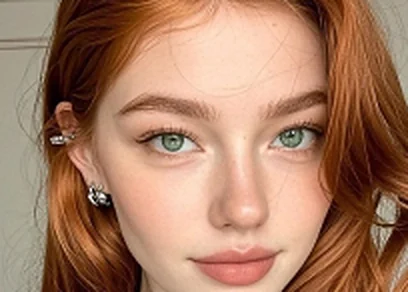
An AI baby video generator turns a still baby picture into a few seconds of motion. Most of them animate a photo you already own. AI Baby Generator animates a baby that did not exist before you uploaded two parent photos, so the clip shows your predicted child rather than a stock infant in a filter.
The difference is the whole product. Search “ai baby video generator” or “baby ai video generator” and 8 of the top 10 results do the same thing: you hand them a photo of a baby, they hand you back the baby dancing. Useful if you have a baby. Useless if the question you arrived with was what your baby might look like.
| AI Baby Generator | The other 8 | |
|---|---|---|
| What you upload | 2 parent photos | 1 photo of a baby you already have |
| Who is in the clip | the child predicted from your 2 faces | the baby in the photo you uploaded |
| Clip length | 5 seconds | 5 to 90 seconds |
| Crop | 9:16 vertical, every clip | up to 8 ratios, square by default |
| Audio | off — no invented voice | synthetic child voice, 7 emotional tones |
| What a clip costs | included in Pro, $19.99 a month | credits earned by following and sharing |
What do you upload, and what comes back?
Upload a clear, front-facing photo of each parent. Good light, no sunglasses, one face per picture — the same rules that make any face model behave. The generator reads the features the two of you share and produces a baby. Run it more than once — the model varies between attempts, and the first result is rarely the one you keep.
The second step is picking the frame you want moving and pressing animate. What comes back is an mp4, 5 seconds long and cropped vertical. No timeline to scrub, no editor to learn, nothing to install — which is the part people expect from a baby ai video maker and rarely get.
Why animate a generated baby instead of a real photo?
Two reasons, one about the product and one about the people in it. A still prediction is a curiosity; a moving one is something people send to their mother. And the face we set in motion is one our own model built from two adults who chose to upload themselves, rather than a photograph of somebody’s real child.
The image answers a question; the clip is the thing that gets shown. Those are two different jobs, and only one of them gets shared.
The narrowness is deliberate and it costs us real demand. The dance clips and talking-baby podcasts people make from a photo of their own child account for about 1,500 of the 4,600 US searches a month in this niche, and we are not chasing them. A tool that animates any uploaded picture of a baby is a different product with a different duty of care.
Can the clip be a gender reveal or pregnancy announcement?
Announcements, mostly — the moments where a still picture is not enough and a full video shoot is far too much. A baby ai video lands in that gap. Three that fit it:
- A gender reveal where the guesswork finally gets a face.
- A pregnancy announcement that is not another pair of shoes on a doorstep.
- The wait before the 12-week scan, when there is nothing to show anyone yet.
The clip is also easy to share. Vertical video is what the feeds want, which is why every clip is 9:16 rather than a square nobody asked for.
Will the video look like your real baby?
An AI baby video is a likeness, not a forecast, and anyone telling you otherwise is selling something. A child is the outcome of one meiosis, run once, and no model predicts which half of each parent turns up. What the generator can do — and does well — is read the features you two share and build a face that is plausibly yours.
So the honest framing is the one we use on the rest of the site: treat it as something to enjoy and to show people. If you want the genetics rather than the picture, the eye colour calculator works from published inheritance data and shows its arithmetic.